How the platform works
A quick walkthrough of the core screens dispatchers use every day.
01
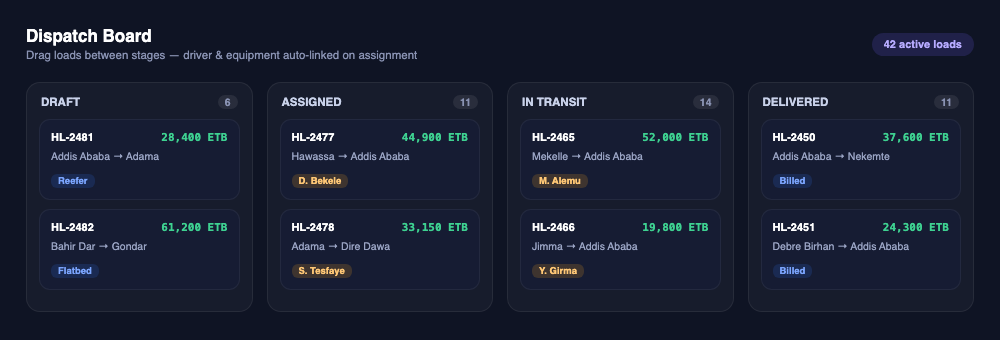
Manage the Dispatch Board
Every load moves through Draft, Assigned, In Transit, and Delivered. Drag a card to the next stage, or assign a driver and equipment directly — once linked, the load carries that assignment automatically.
02
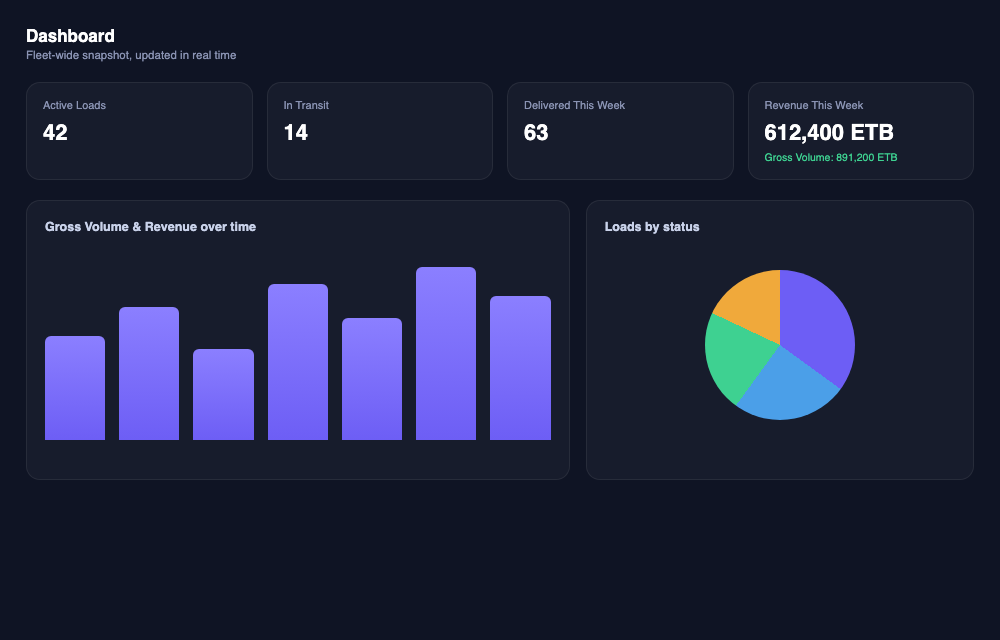
See the fleet at a glance
The dashboard shows active loads, what's in transit, and revenue for the period you pick — this week, this month, or this year — so you know where things stand without digging through records.
03
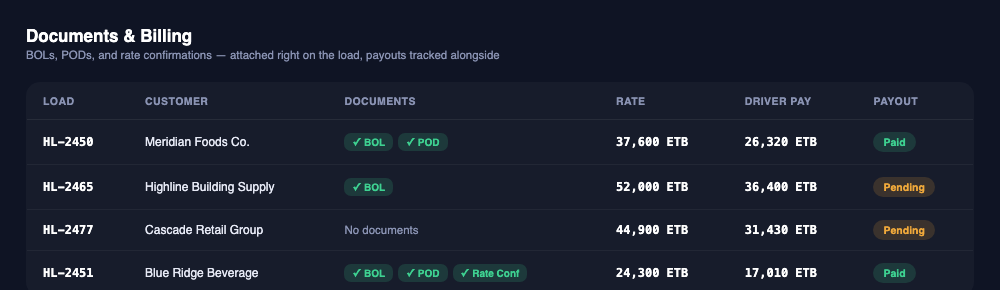
Keep documents and billing together
BOLs, PODs, and rate confirmations attach right to the load. Payout status is tracked alongside, so nothing gets billed — or paid — without the paperwork to back it up.
Ready to try it yourself?
Sign in with your Cober Freight account to get started.
Login to the platform